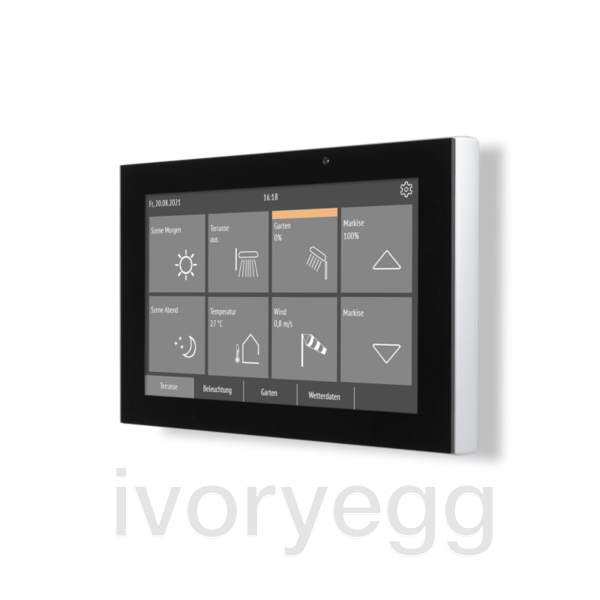
Fabro KNX Touch Panel
Each area can be used as a button or display. There are over 100 symbols to choose from, next to which a value or colour is dis- played. Objects from 1 bit (switching) to 14 bytes (texts) can be transmitted. On 5 pages, the user thus has up to 40 input and output options.
In the KNX application, 8 calculators are available for data conversion and 8 AND and OR logic gates each. Up to 8 events are de- fined in the alarm module. In the event of an alarm, a text appears in the display, the display light flashes or a beep sounds.
Description
GOOD DESIGN FOR EASY OPERATION
Even in areas with a high degree of soiling or strict hygiene requirements, the design of the unit and surface counts. An intuitive user interface enables quick access to technology. Good design conveys values such as reliability, trust and sa- fety.
Fabro KNX facilitates the handling of building technology in production halls, workshops, greenhouses, food processing plants...
PRACTICAL MATERIALS AND INSTALLATION OPTIONS
The housing of the Fabro KNX touch panel was milled from an aluminium block and is anodised. The front with display and touch surface consists of a continuous glass pane.
Fabro KNX is surface-mounted. The housing allows the cab- les to be surface-mounted or flush-mounted.
Technical Details
Specification
- 7 inch display with 800 × 480 pixels
- 5 pages with 8 areas each
- Labelling text can change depending on the status
- Display of values
- RGB Color display
- Internal icon library with over 100 icons
- 336 KNX communication objects
- Dimensions approx 191 mm × 121 mm × 23 mm
- Auxiliary voltage 24 V DC
Properties
Properties
| Brand | ELSNER |